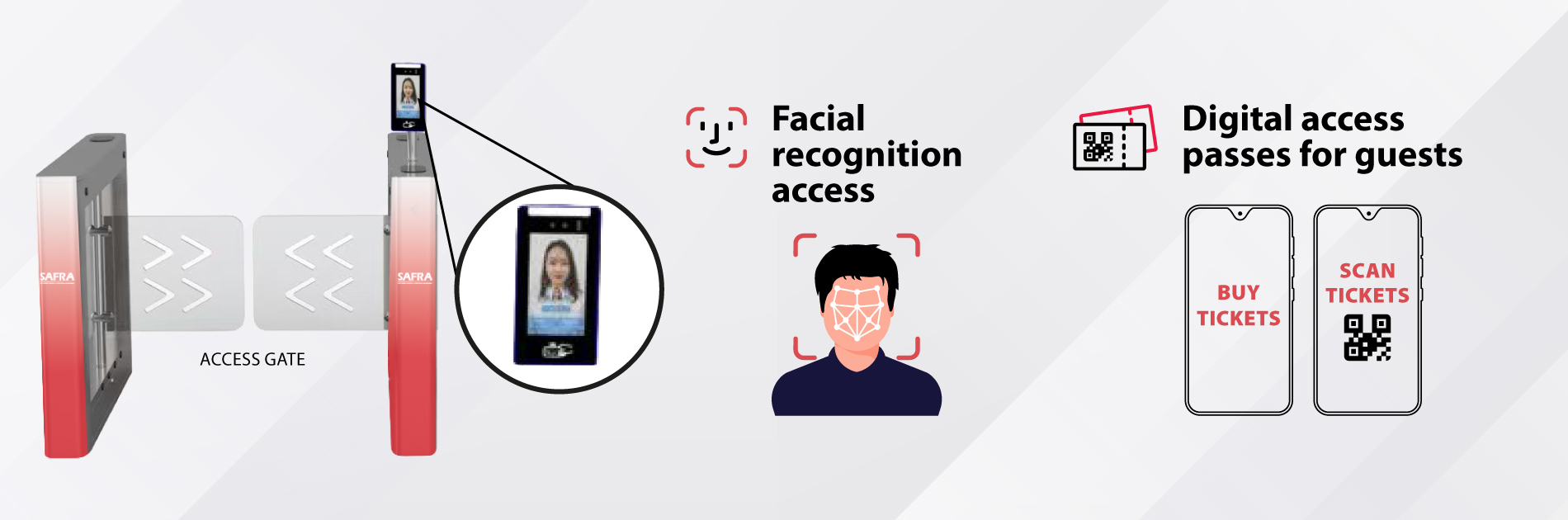
SAFRA members can look forward to more ways to access our swimming pools, with enhanced access options being rolled out progressively across clubs.
Facial recognition (FR) will be progressively introduced as one of the ways to access our swimming pools. Enjoy a card-less and hands-free entry with a simple scan of your face at the access gates.
SAFRA members may purchase up to 3 digital guest access passes per day for accompanying guests.
These enhancements will be rolled out between May to September 2026 across our clubs progressively.
| Date / Period | Clubs |
| 27 May 2026 | SAFRA Mount Faber |
| 17 June 2026 | SAFRA Tampines |
| 1 July 2026 | SAFRA Yishun |
| 8 July 2026 | SAFRA Choa Chu Kang |
| 5 August 2026 | SAFRA Toa Payoh |
| 16 September 2026 | SAFRA Jurong |
| TBC | SAFRA Punggol → Punggol Regional Sports Centre |
Actual start dates for SAFRA Jurong and Punggol will be updated when available.
The existing swimming pool self-service kiosks and access gates will be phased out once the new gates are installed at each club.
If you are unable to use the SAFRA mobile app, you can still access our services through the m.safra.sg web portal.
Check out the following guides and FAQs for step-by-step support.
Facial Recognition Access
Digital access passes for your guests
You may also visit the customer service counters at our clubs, which are open daily from 9am to 9pm. Facial recognition access can also be set up over the counter.
Share your experience or feedback: https://feedback.safra.sg.
SAFRA App [Download]
| Step 1 | Step 2 |
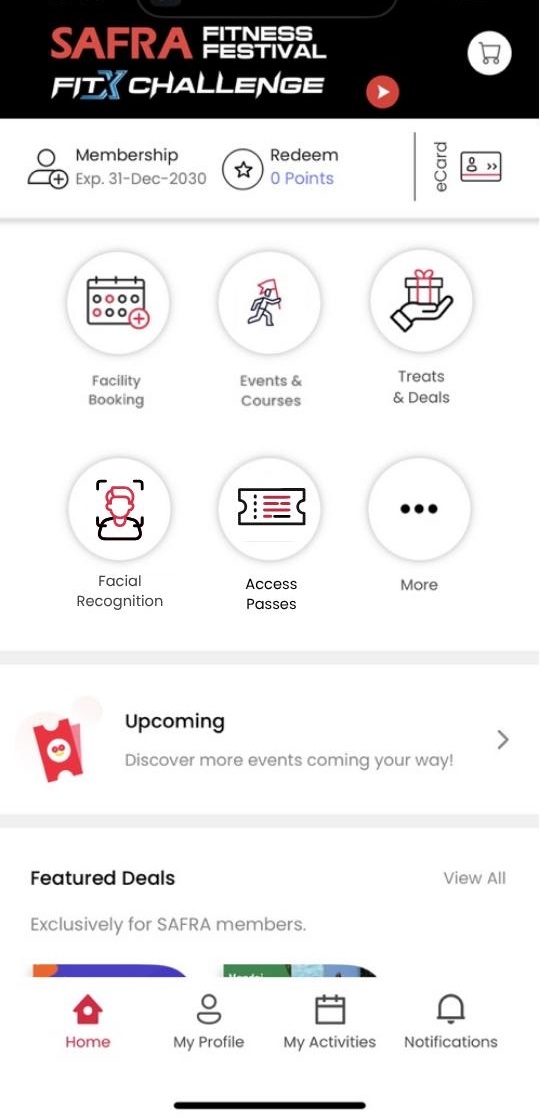 | 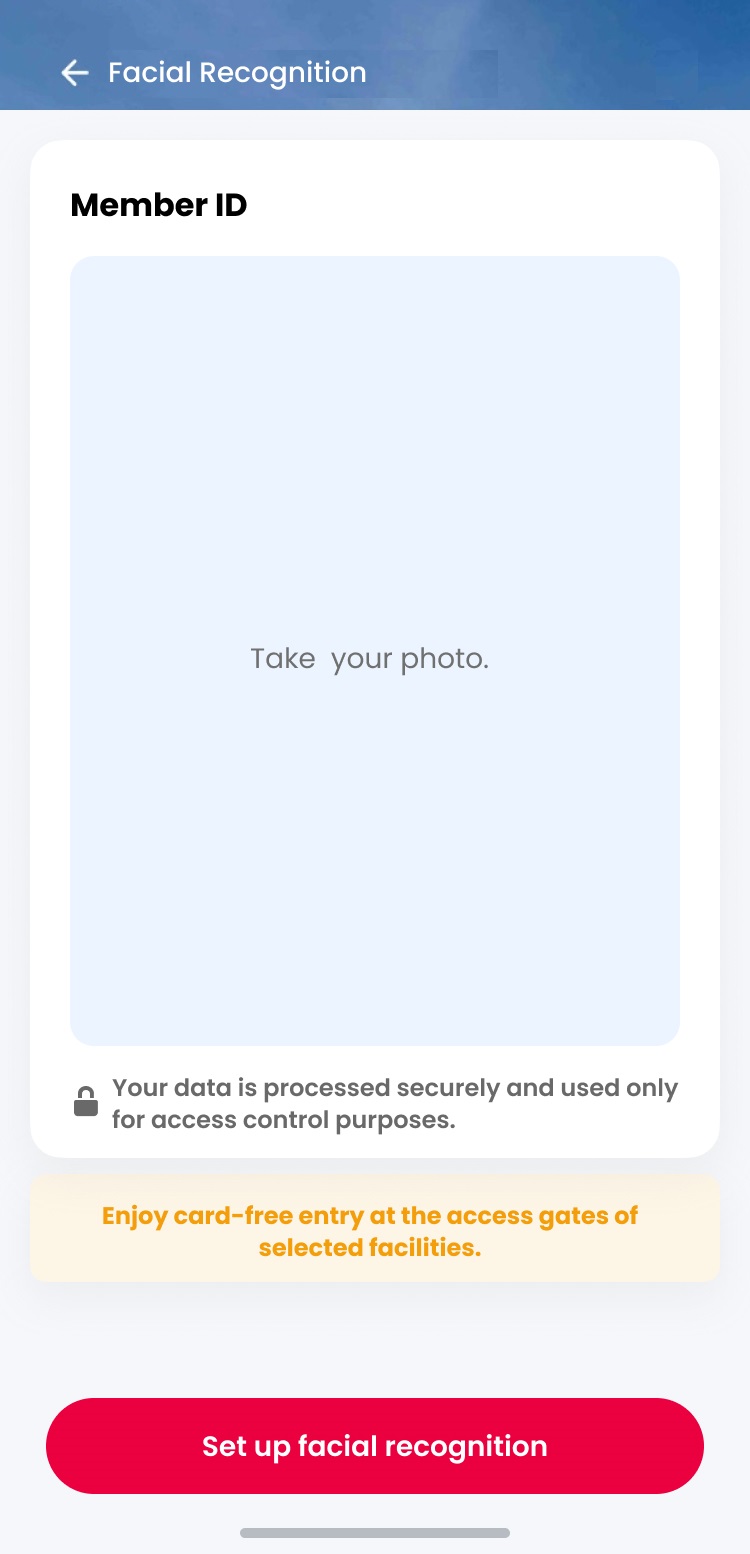 |
| Go to SAFRA app and tap on Facial Recognition in the menu. | Tap on Set up Facial Recognition. |
| Step 3 | Step 4 |
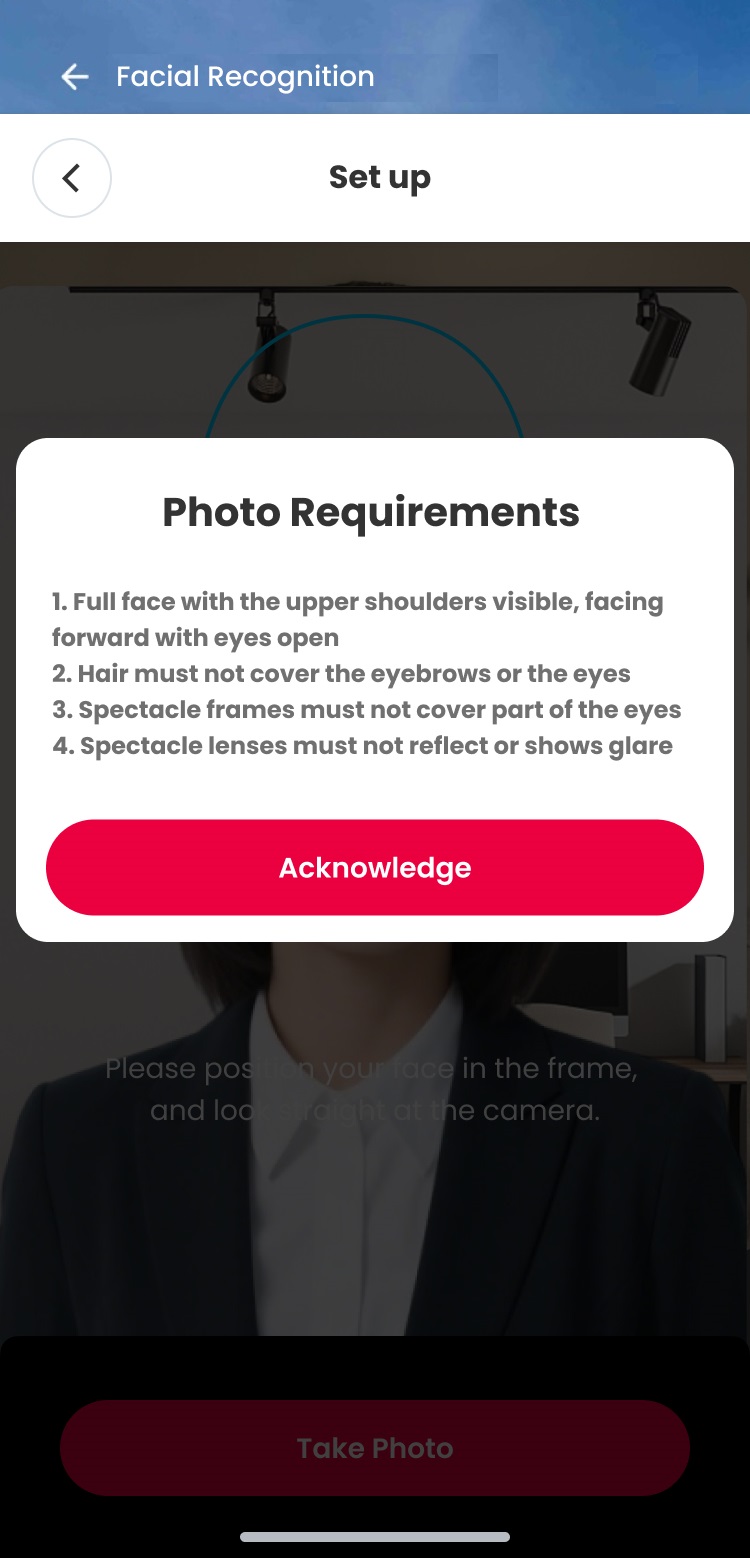 | 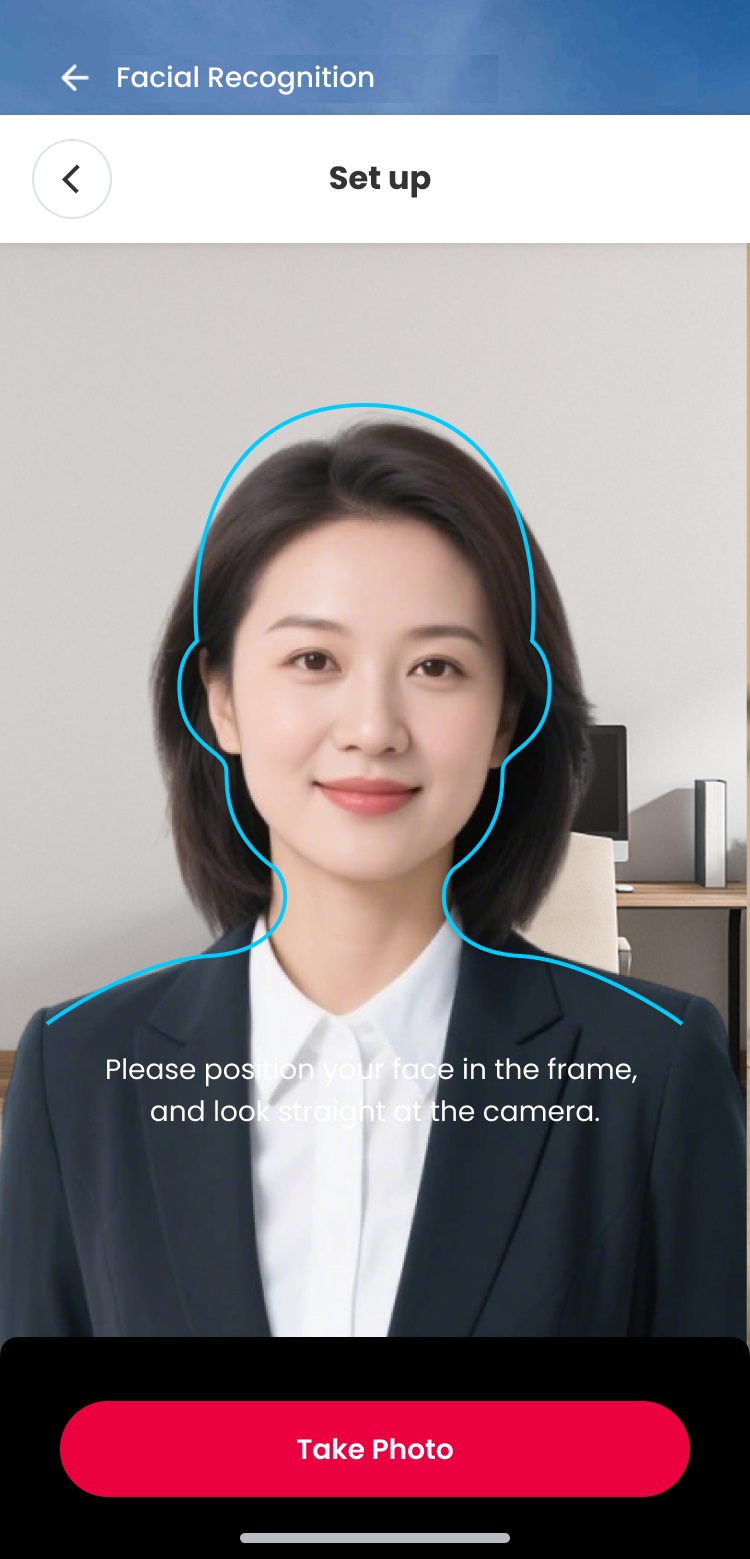 |
| Note the photo requirements and acknowledge to proceed. | Take Photo. |
| Step 5 | Step 6 |
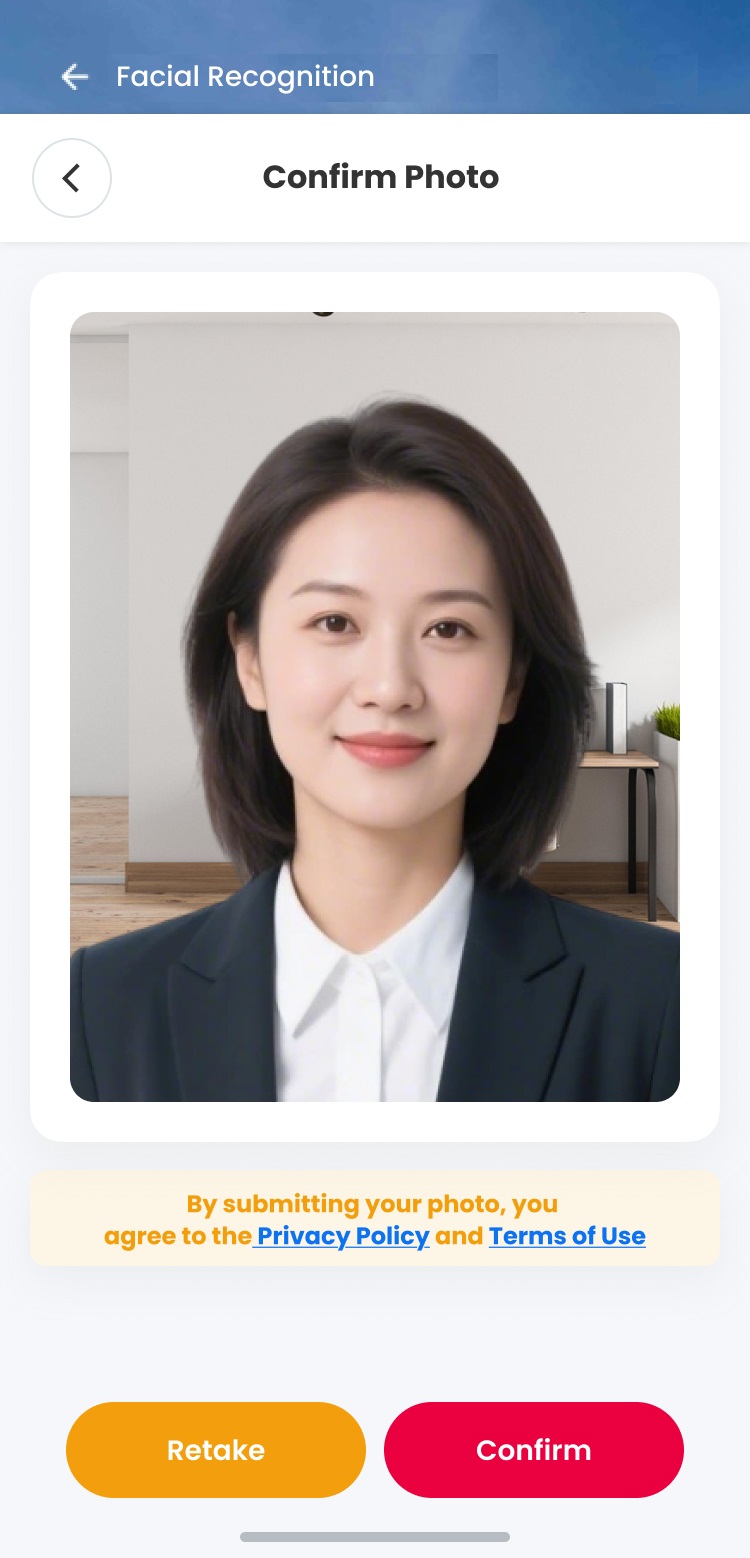 | 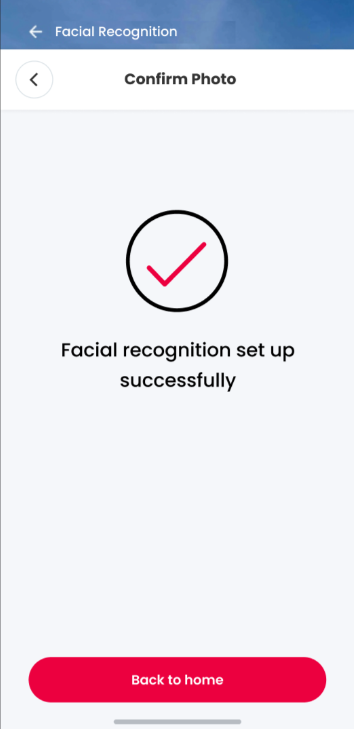 |
| Confirm your photo. | Success! Ready for use. |
Images are for illustrative purposes only.
m.safra.sg web portal
For users who cannot access the SAFRA app. Best viewed on mobile.
SAFRA App [Download]
| Step 1 | Step 2 |
 |
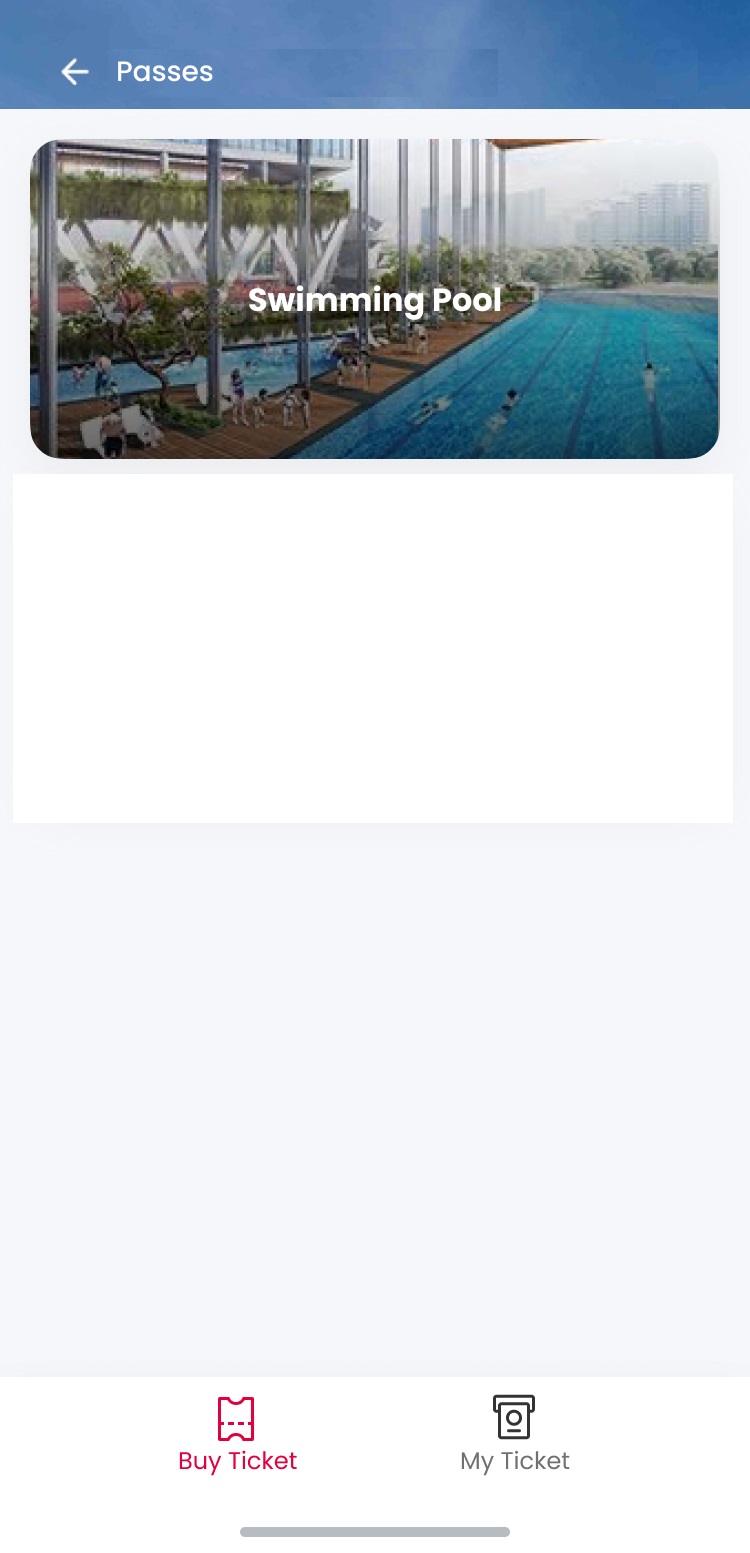 |
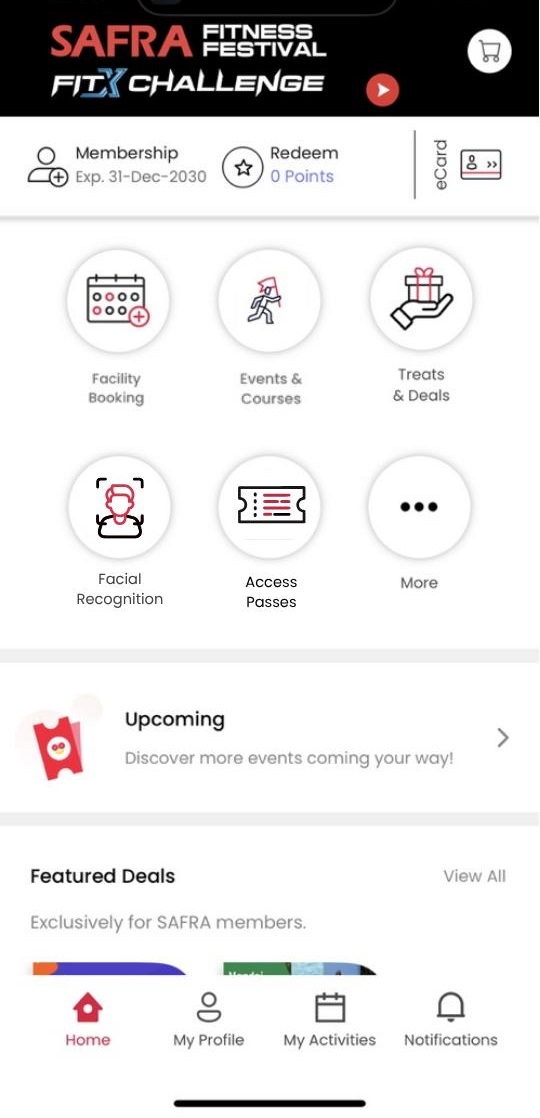
| Go to SAFRA app and tap on Access Passes in the menu. | Tap on Buy Ticket → Swimming Pool Access passes purchased will be for the club you are at when making the purchase. |
| Step 3 | Step 4 |
 |
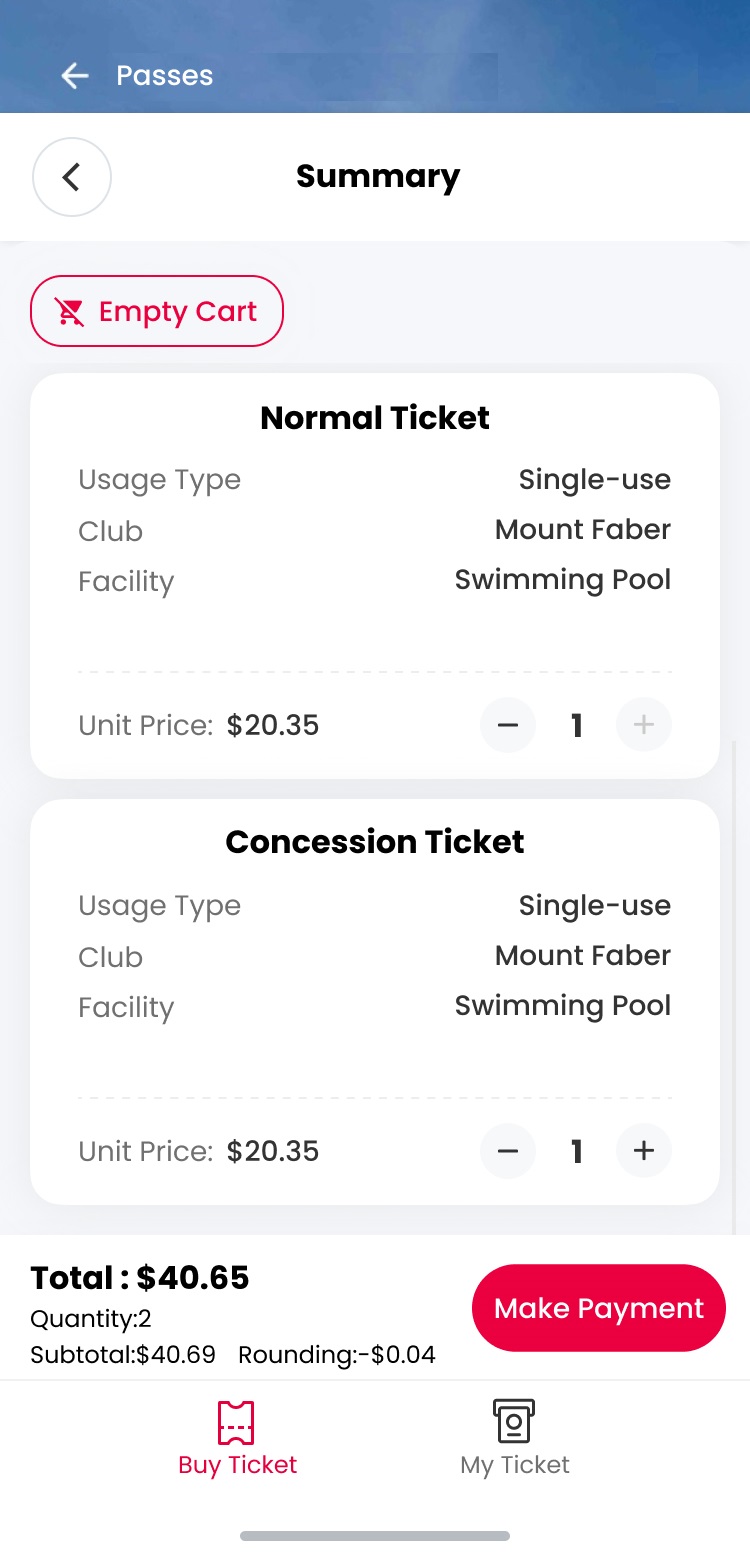 |
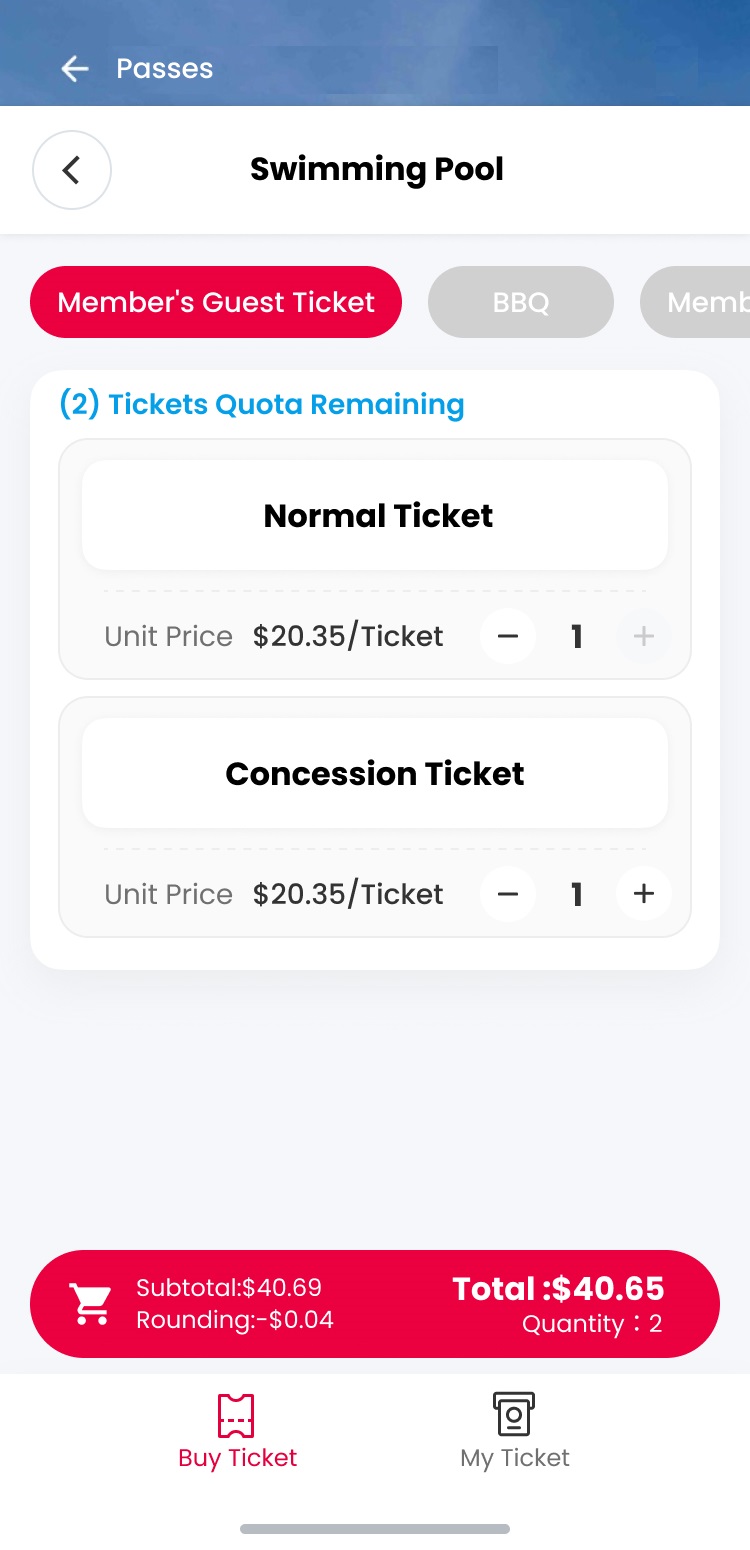
| Select the number of tickets. | Complete the purchase. |
| Step 5 | Step 6 |
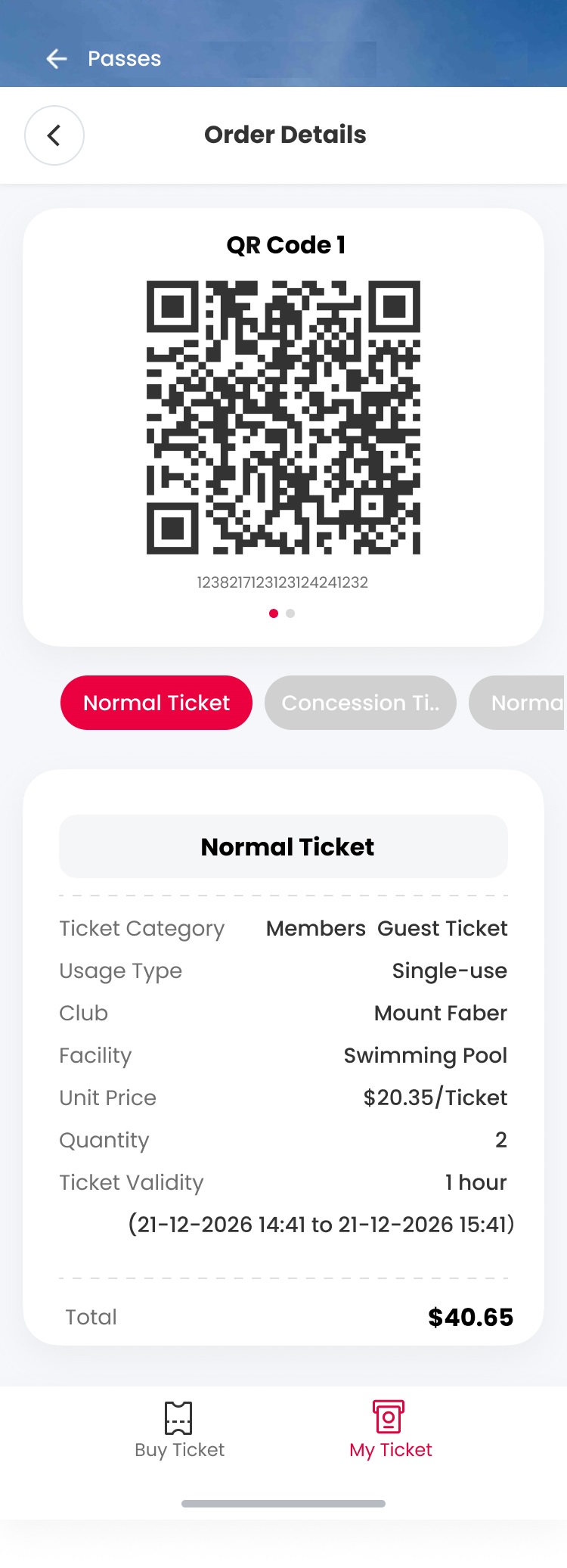 |
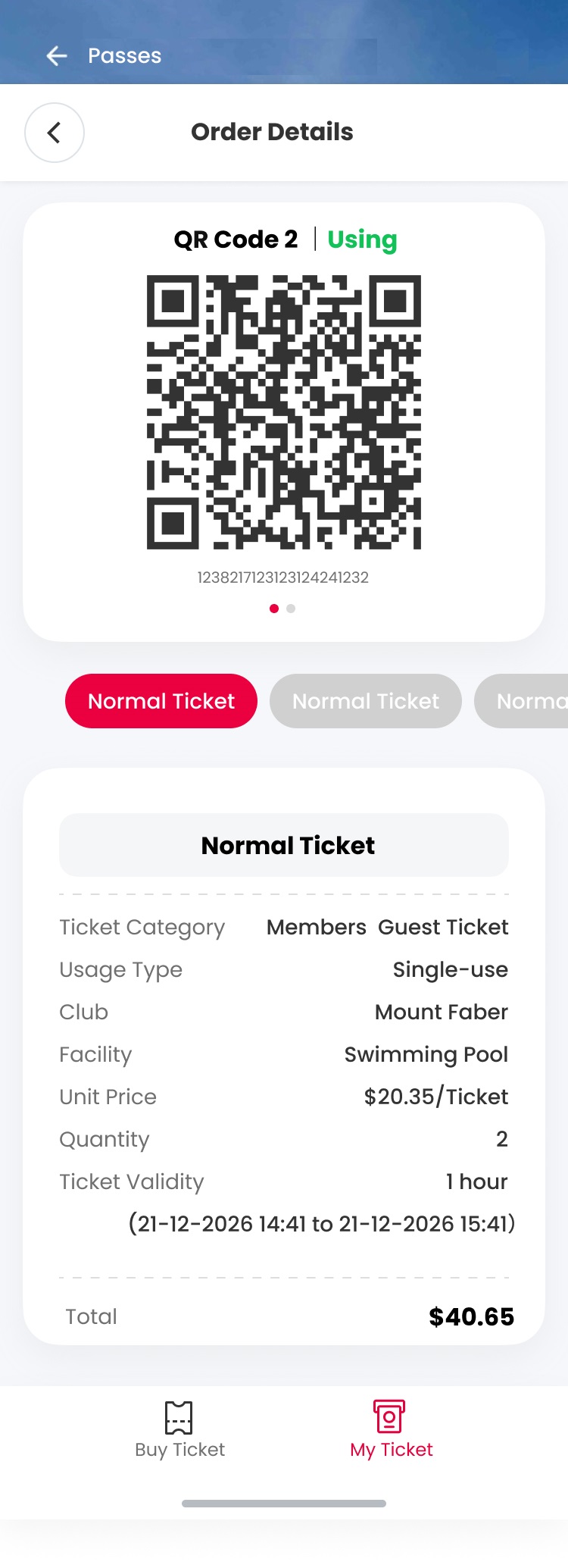 |
| Select the ticket and scan for entry at the swimming pool access gate. | Indicated as ‘Using’ after scanning for entry. Do scan out when exiting. |
m.safra.sg web portal
For users who cannot access the SAFRA app. Best viewed on mobile.
1. Why is SAFRA introducing access through facial recognition?
To provide greater convenience to members, facial recognition (FR) is being progressively introduced as one of the ways to access our swimming pools.
After a one-time set-up, members will be able to use FR to access our swimming pools even when they do not have their mobile phones on hand. Simply refer to the guide on how to set up your FR function.
Members who require more assistance to set up their FR function can approach our Customer Service Counters (9am to 9pm daily) at our clubs. Mobile devices are not required for this.
Members who do not wish to use FR can continue to enter our swimming pools by scanning their SAFRA membership e-card QR code at the swimming pool access gates after logging in to their SAFRA app or the SAFRA web portal.
To facilitate the enhancement, new access gates will be installed at each swimming pool in tandem with the phasing out of the self-help kiosks to print physical tickets onsite.
Facial recognition may also be introduced at other facilities within SAFRA clubs that currently have gated access. More details will be announced when available.
2. How do I set up my facial recognition profile?
Members can use the SAFRA mobile app or m.safra.sg web portal to set up by following the steps here.
If you are unable to use the app or web portal, please approach our Customer Service Counters (9am to 9pm daily) and they will assist you to set up.
3. What do I need to onboard my facial recognition profile?
You will need an active SAFRA membership, a smartphone with a front-facing camera to take a photo, and a stable internet connection.
If you are unable to use the app or web portal, please approach our Customer Service Counters (9am to 9pm daily) and they will assist you to set up.
4. What types of photos are accepted for facial recognition?
We recommend IC or passport type of photos. Click here for the photo requirements.
5. Can I change my photo after my facial recognition has been set up?
You can change your photo once every 6 months*. To do so, go to Facial Recognition (FR) in the menu and select the option to set it up again. This helps prevent misuse and ensures the facial biometric remains tied to the rightful member.
*Till 31May 2026 only, you may change your photo before the 6-month period. Thereafter if you need to update, please approach the Customer Service Counter at any of our SAFRA clubs (9am – 9pm daily) to verify your membership and re-able FR. 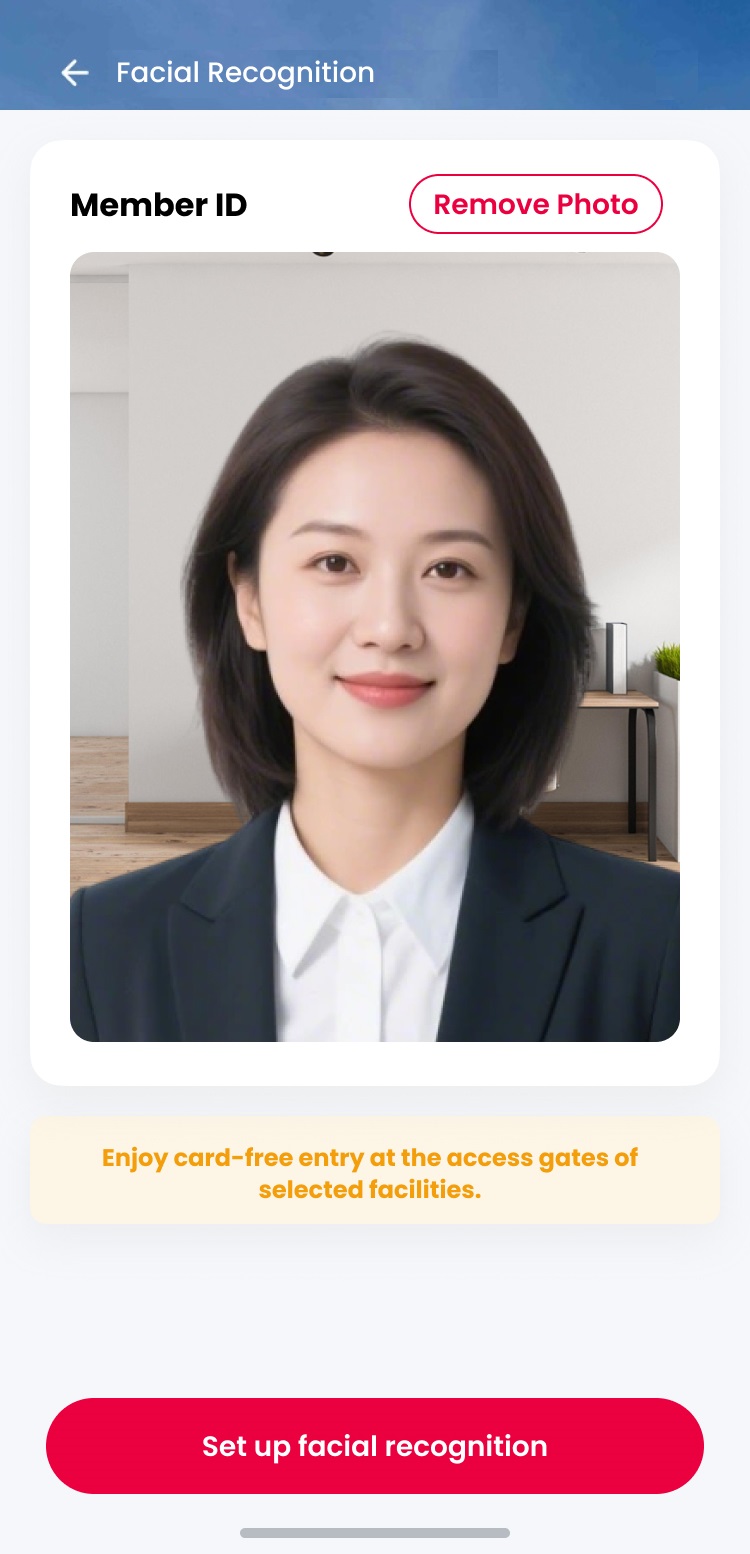
Images are for illustrative purposes only.
6. Is facial recognition mandatory for pool access?
No, it is optional. SAFRA members can still use their membership e-card in the SAFRA app to enter the swimming pool, if preferred.
7. Can SAFRA Dependent Members also use facial recognition to enter the swimming pool?
Yes, they can set up their facial recognition via the SAFRA mobile app or m.safra.sg web portal.
They may either:
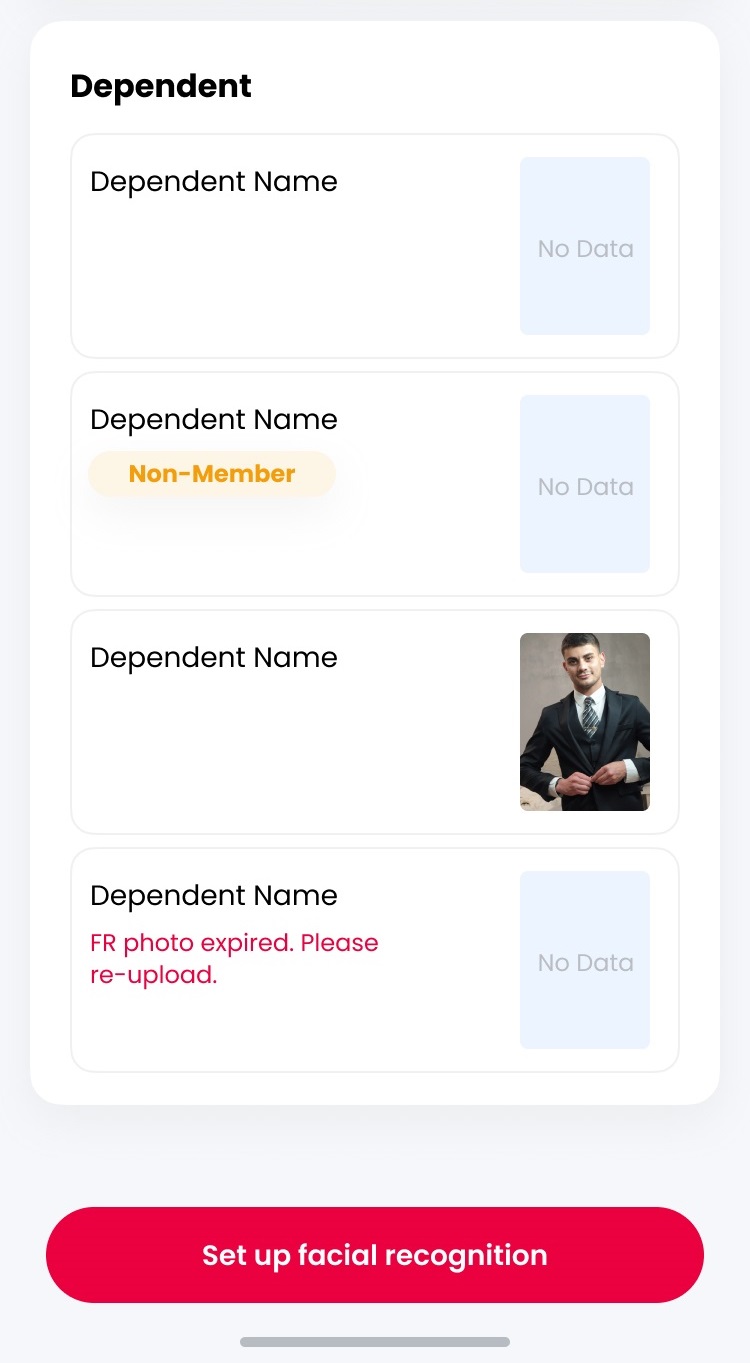
8. Is there a minimum age and height to use facial recognition?
SAFRA Child Dependent Members (5 years old and above) with a minimum height* of 1.2m can use facial recognition for access. For Child Dependent Members below 1.2m, please use their SAFRA membership e-card for entry.
*Due to the height of the access gate and its facial recognition scanning device.
9. Can a non-SAFRA member use facial recognition to access the swimming pool?
No. Access passes for accompanying guest(s) must be purchased by a SAFRA member when they visit the swimming pool together.
Types of access passes members can buy for guest(s):
| Normal | Adult/child with height above 140cm |
| Concession | Child aged 5 & above with height below 140cm |
| Free entry | Child below 5 years old |
10. Can anyone access my facial biometrics or use it to enter the swimming pool?
Facial biometrics are unique to each individual. The system is designed to recognise only your registered facial profile uploaded and is linked to your membership or your dependent member(s).
11. Is my facial biometrics data safe?
SAFRA uses secure, encrypted systems to process and store facial biometrics information in accordance with data protection regulations. Your facial data is used solely to verify your identity for access control purposes.
12. Can I access other club’s swimming pool with my facial recognition?
Yes, after you have set up your facial biometrics, you can access the SAFRA swimming pools once the new access gates are implemented at the SAFRA clubs.
13. Is facial recognition for members only?
Facial recognition access to swimming pools is for SAFRA members, including dependents and affiliates.
14. Can HTNS or NSRCC members access the swimming pools with facial recognition too?
Yes. HTNS and NSRCC members can access the swimming pools through a reciprocal arrangement, and will be able to set up facial recognition with SAFRA.
To do so, please approach our Customer Service Counter (9am to 9pm daily) to verify your HTNS or NSRCC membership first, and you will be able to set up your facial recognition thereafter.
15. What happens if the facial recognition scanner at the gate doesn’t recognise my face?
Ensure that you are facing the scanner properly and try again. If you continue to experience issues, please approach the Customer Service Counter (9am to 9pm daily) for assistance. In the meantime, you can use your SAFRA membership e-card for entry.
16. I am not able to access the SAFRA mobile app, how can I onboard my facial biometrics?
You may access it via the m.safra.sg web portal. Here are the steps
i. Log in with your email/member ID and password.
ii. Tap on the top left Menu icon ☰ > Facial Recognition.
iii. Follow the same steps above (as per SAFRA app).
If you are unable to use the app or web portal, please approach our Customer Service Counters (9am to 9pm daily) and they will assist you to set up.
17. Will SAFRA continue to store my facial biometrics upon expiration of my SAFRA membership?
We will only store and use your facial biometrics for the duration of your active SAFRA membership tenure. Once your membership expires, it will be deleted. When a membership is renewed before its expiry, the facial biometrics will be extended as per the new membership expiry date.
18. I no longer want to use my facial biometrics to enter the swimming pool. How can I remove it?
You can remove your facial biometrics data. Go to SAFRA app and tap on Facial Recognition in the menu. Then, tap on Remove Photo. After deleting your facial recognition photo, you will not be able to set up facial recognition again for the next 6 months. This is a security measure to prevent misuse.
To re-enable facial recognition, please visit the Customer Service Counter at any SAFRA club (9am – 9pm daily).
1. How do I purchase the guest access passes to the swimming pool?
SAFRA members can purchase guest access pass(es), when at or within 500m radius of the club, on the SAFRA mobile app or m.safra.sg web portal. You will need to allow location permissions on your device.
2. How do I use the digital guest access passes?
Members will have to be physically present to check in your guest(s). Access your guest passes:
| Step 1 | Step 2 |
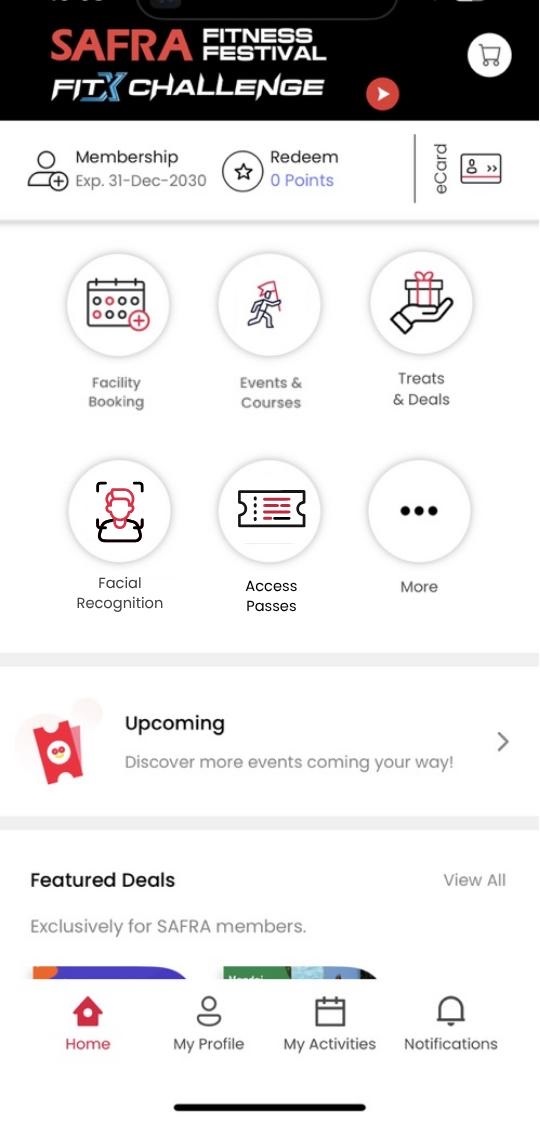 | 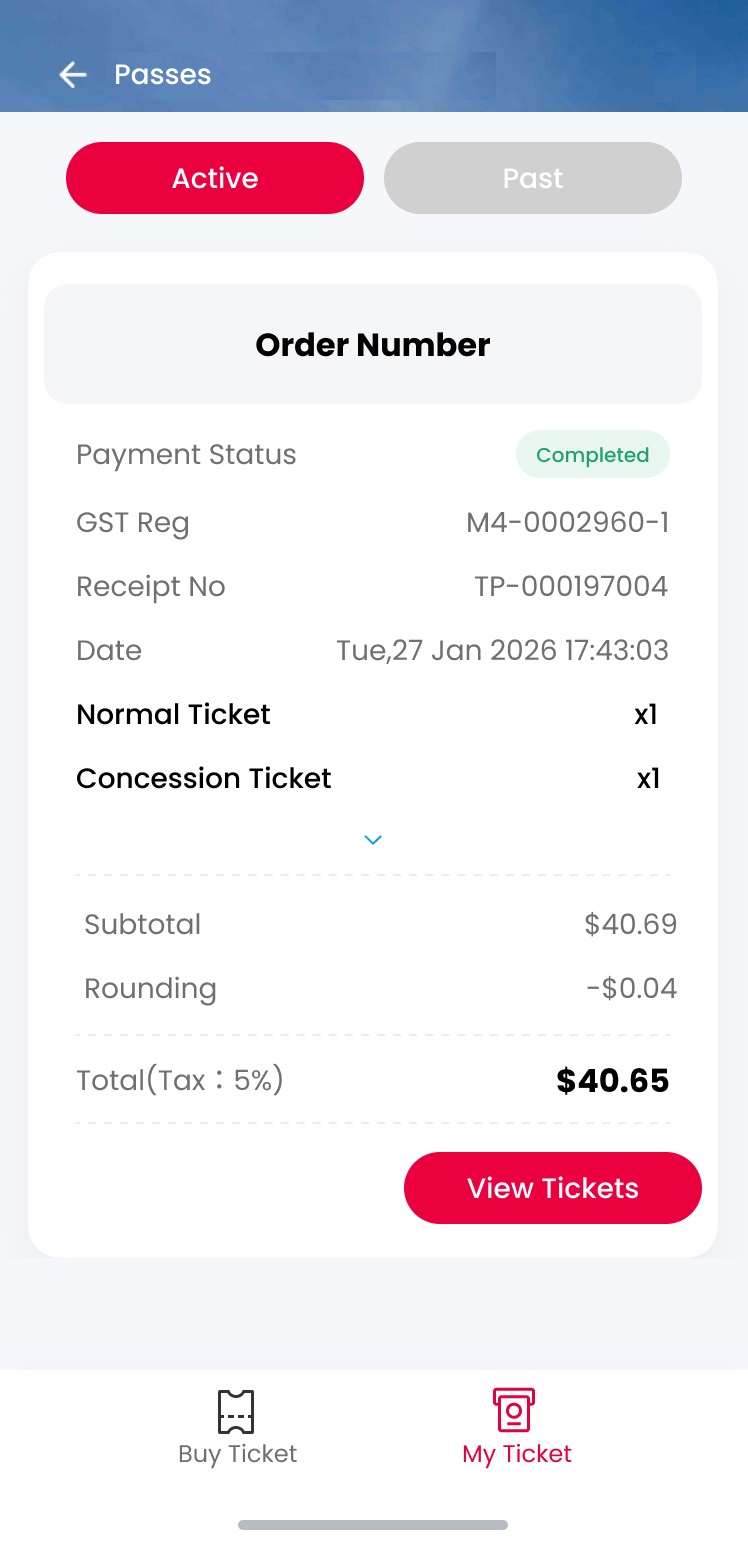 |
| Go to SAFRA app and tap on Access Passes in the menu. | On the bottom navigation bar, Tap on My Ticket. |
| Step 3 | Step 4 |
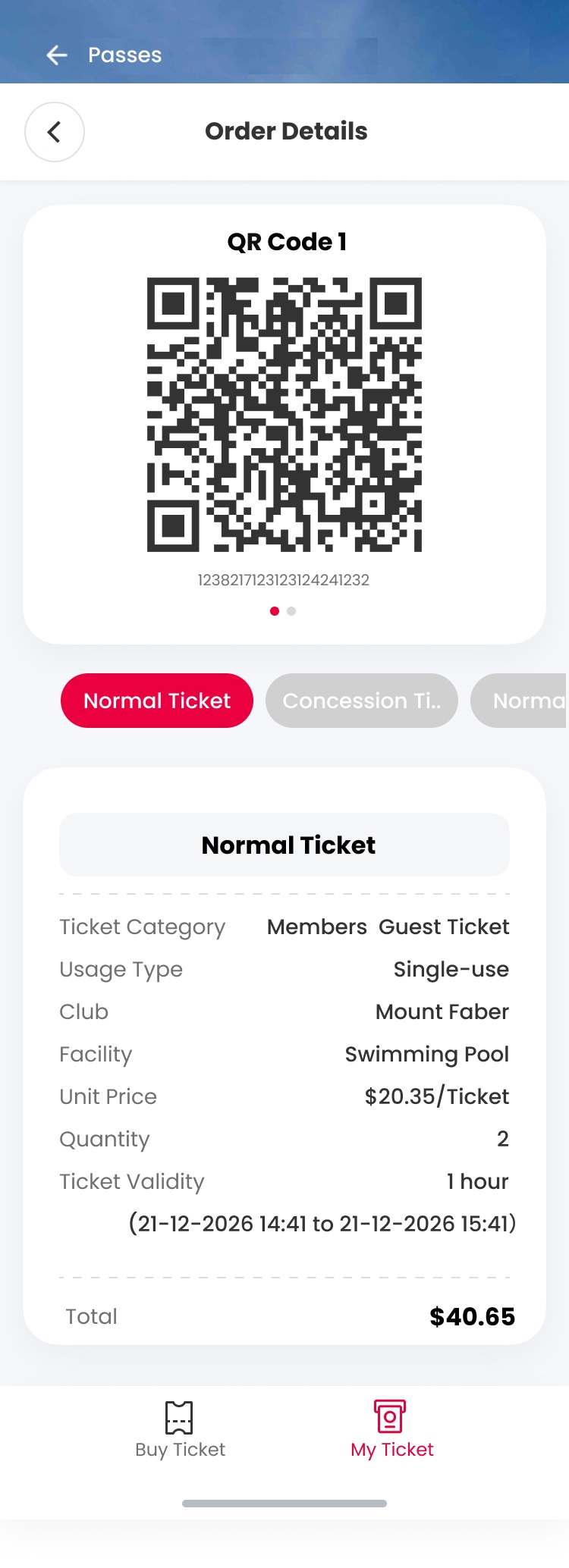 | |
| Select the ticket and scan for entry at the swimming pool access gate. | Indicate as 'Using' after scanning for entry. Do scan out when exiting. |
3. What are the types of access passes?
SAFRA members enjoy free entry into our pools daily. Each SAFRA member is only allowed to bring along a maximum of three accompanying paying guests per day to the swimming pools at all SAFRA clubs. Guests would need to be signed in by a SAFRA member.
Types of access passes members can buy for guest(s):
| Normal | Adult/child with height above 140cm |
| Concession | Child aged 5 & above with height below 140cm |
| Free entry | Child below 5 years old |
4. I am unable to access the SAFRA mobile app. How can I purchase and use the tickets?
You may access it via the m.safra.sg web portal. Here are the steps:
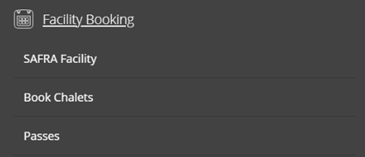
i. Tap on the top left Menu icon ☰ > Facility Booking > SAFRA Facility > select swimming pool and club..
ii. Follow the same steps above (as per SAFRA app).
iii. To Access the digital pass for your guest(s), go back to Menu icon ☰ > Facility Booking > Passes.
5. How long will the passes be valid for?
Each digital pass is valid for one hour from the time of purchase. We recommend purchasing tickets when you are heading to or already at the club, especially during periods of inclement weather.
6. Why am I only able to purchase the pass(es) when I am at or within 500m of the SAFRA club?
Swimming pools at SAFRA clubs are for members – and each member can bring up to 3 guests (payable). Guests must be checked in by a member who is physically present at the club.
7. How can I transfer or cancel the digital guest pass(es)?
Digital guest passes cannot be transferred or cancelled once purchased. There will be no refund given.
8. I am a HTNS or NSRCC member. Can I buy the digital access pass?
HTNS and NSRCC members are able to use the swimming pools through a reciprocal arrangement with SAFRA. Please proceed to the Customer Service Counter (9am to 9pm daily) with your HTNS or NSRCC membership card or documentary proof. Once validated, your SAFRA account will be linked. You will also be able to purchase and use the access pass(es) for up to 3 of your guest(s) per day.
9. Will the physical pool kiosks remain available?
The existing swimming pool self-service kiosks and access gates will be phased out once the new gates are installed at each club.